- [Case Studies](/category/case-studies)
- [eCommerce tips](/category/ecommerce-tips)
- [Online Store Solutions and Platforms](/category/online-store-solutions-and-platforms)
- [Mergado Pack](/category/mergado-pack)
- [Mergado tips](/category/mergado-tips)
- [Mergado News](/category/mergado-news)
- [eCommerce News](/category/ecommerce-news)
- [How to use Mergado](/category/how-to-use-mergado)
- [Interviews with e‑commerce gurus](/category/interviews-e-commerce-gurus)
- [Extensions](/category/apps-bidding-image-marketing-and-more)
- [Expansion with Mergado](/category/expansion-with-mergado)
- [Mergado Lifestyle](/category/mergado-lifestyle)
1. [ Home ](/)
2. [ Mergado Blog ](/blog)
3. [ Extensions ](/category/apps-bidding-image-marketing-and-more)
4. **How to manage image advertising in 2023? Automatically, using Feed Image Editor**
# **How to manage image advertising in 2023? Automatically, using Feed Image Editor**
[  Lukáš Horák ](/blog/lukas-horak) [Extensions](/category/apps-bidding-image-marketing-and-more)
21. 3. 2023
2 minutes read
For your image advertising to work on every channel you use, it has to **meet quite a lot of requirements**. Until recently, many of these could only be solved by manual editing. That’s no longer the case with the [Feed Image Editor](https://www.feed-image-editor.com/).
function tableOfContents() {
return {
headings_menu: [],
heading_active: '', // Added to track the active section
shouldBeSticky: false,
generateToC() {
const headings = document.querySelectorAll('.js-article-full-headings h2, .js-article-full-headings h3');
let headingMap = {};
headings.forEach((heading) => { // Use an arrow function to maintain `this` context
// Normalize heading text to remove diacritics, then replace non-alphanumeric characters with dashes
var normalizedText = heading.textContent.normalize("NFD").replace(/[\u0300-\u036f]/g, ""); // Remove diacritics
var id = heading.id ? heading.id : normalizedText.trim().toLowerCase()
.split(' ').join('-').replace(/[^a-z0-9\-]/ig, ''); // Updated regex to replace non-alphanumeric characters
headingMap[id] = headingMap[id] !== undefined ? ++headingMap[id] : 0;
// Use the updated `id` with diacritics removed for the heading id and the TOC
const finalId = headingMap[id] ? `${id}-${headingMap[id]}` : id;
this.headings_menu.push({
id: finalId,
title: heading.textContent,
level: heading.tagName.toLowerCase(), // Track heading level
active: false, // Initially set active to false
});
heading.id = finalId;
});
},
checkStickyNeeded() {
const ul = this.$el.querySelector('ul');
if (ul) {
this.shouldBeSticky = ul.scrollHeight < window.innerHeight;
}
},
setActiveHeading() {
// disabled not working with active state on click
// add @scroll.window="setActiveHeading()" to the parent div
// const headings = document.querySelectorAll('.js-article-full-headings h2');
// let activeHeading = '';
// let closestHeadingDistance = Infinity;
// headings.forEach((heading) => {
// const rect = heading.getBoundingClientRect();
// const offset = rect.top - window.innerHeight / 2; // Consider heading in the middle of the screen as active
// if (offset < 0 && Math.abs(offset) < closestHeadingDistance) {
// activeHeading = heading.id;
// closestHeadingDistance = Math.abs(offset);
// }
// });
// // Update the active state in headings_menu
// if (activeHeading !== this.heading_active) {
// this.headings_menu = this.headings_menu.map(item => ({
// ...item,
// active: item.id === activeHeading,
// }));
// this.heading_active = activeHeading;
// }
},
setActiveItem(clickedId) {
this.headings_menu.forEach(item => {
item.active = (item.id === clickedId);
});
this.heading_active = clickedId; // Optionally update the heading_active property if used
},
};
}
1. —
For your image advertising to work on every channel you use, it has to **meet quite a lot of requirements**. Until recently, many of these could only be solved by manual editing. That’s no longer the case with the [Feed Image Editor ](https://www.feed-image-editor.com/)app. With one click, you can adjust **watermarks**, **resize** images or **crop** them efficiently.
## Add and remove watermarks in seconds
Watermarks serve as an important **protective feature** for your photos. But not every advertising channel allows their use in advertising. With *Feed Image Editor*, you **can flexibly respond to the different watermarking requirements** of each advertising platform you use.
**Read more:**
- [How to add or delete watermarks in bulk as needed](https://www.feed-image-editor.com/why-add-or-remove-watermarks-feed-image-editor)
- [How to create image and text watermarks automatically](https://www.feed-image-editor.com/add-watermarks-your-product-images-bulk-and-aumatically)
[ 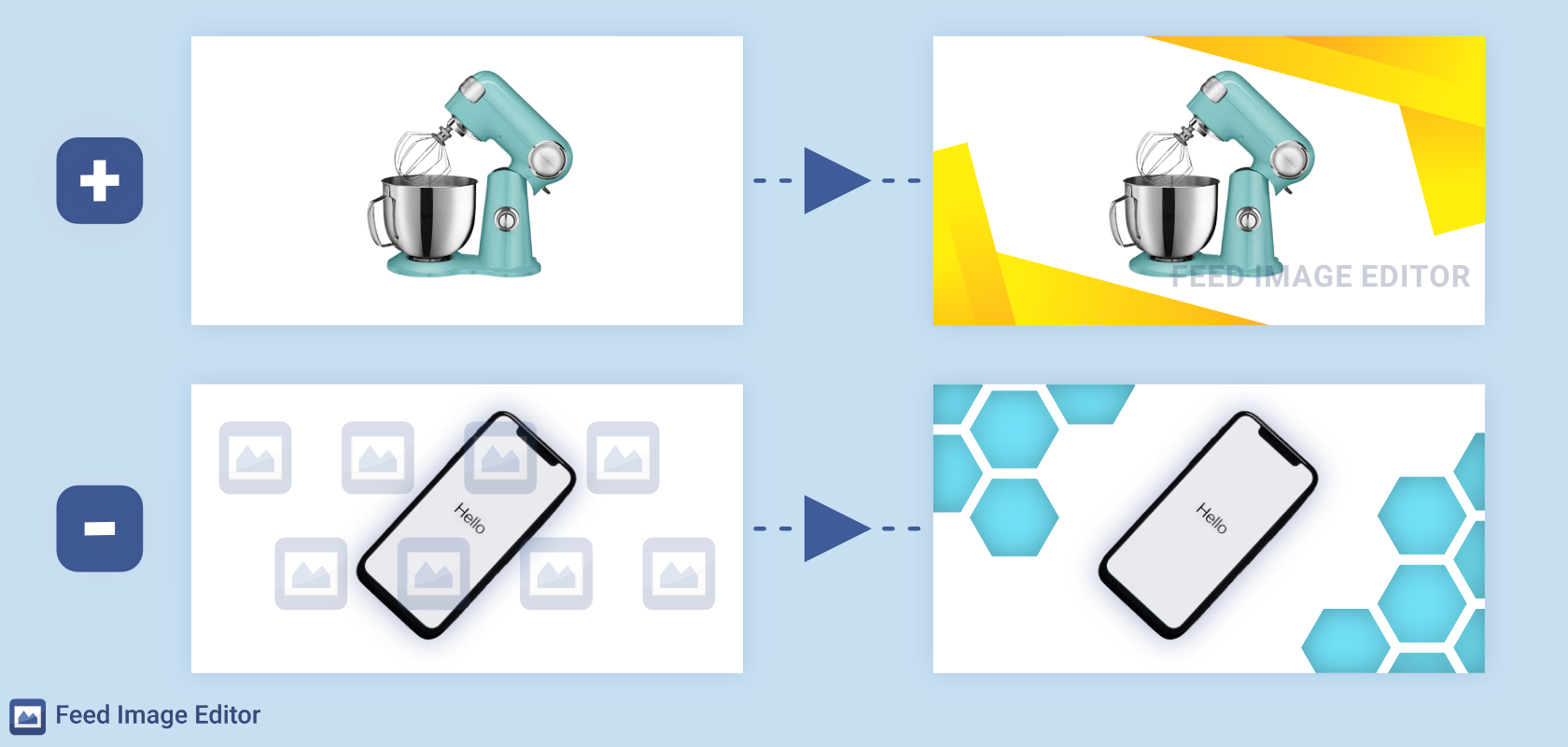 ](https://www.mergado.com/sites/default/files/perm/paragraph-image/tvorba-vodoznaku-feed-image-editor.png) Use the Feed Image Editor to add or remove watermarks in a few clicks. Source: https://www.feed-image-editor.com
## With just a few edits, you’ll get every rejected image in the ad
Advertising channels also have different requirements for **minimum** and **maximum product image sizes**. In *Feed Image Editor*, you can easily **filter out** non-compliant product images. And in the same place, adjust their dimensions **in bulk** and **automatically.**
**See how easy it is to**:
- [Adjust the dimensions of product images](https://www.feed-image-editor.com/edit-images-so-they-are-easier-you-advertise)
- [Adapt images to the requirements of advertising systems](https://www.feed-image-editor.com/different-dimensions-images-according-requirements-ad-systems)
- [Crop product images](https://www.feed-image-editor.cz/kvalitne-oriznute-produktove-obrazky-hromadne-automaticky)
[  ](https://www.mergado.com/sites/default/files/perm/paragraph-image/kanaly-pro-ktere-vyuzijete-funkce-feed-image-editoru.png) In Feed Image Editor you can edit image ads for a large number of popular advertising channels. Source: https://www.feed-image-editor.com
## Outrank your competitors’ images on Google Shopping
*Google Shopping* is one of the **most used advertising channels** in the world. Targeting it with your advertising is one of the first steps in any e‑commerce store’s sales strategy. Using *Feed Image Editor*, you can easily **get ahead of thousands of competitors** by creating [campaigns with more appealing product images](https://support.google.com/google-ads/answer/9823397?hl=en).
**With these short tutorials on Google Shopping, you’ll easily:**
- [Remove the background of product images](https://www.feed-image-editor.com/remove-product-image-backgrounds-google-shopping)
- [Send photos exactly as requested](https://www.feed-image-editor.cz/produktove-fotografie-google-nakupy)
[ 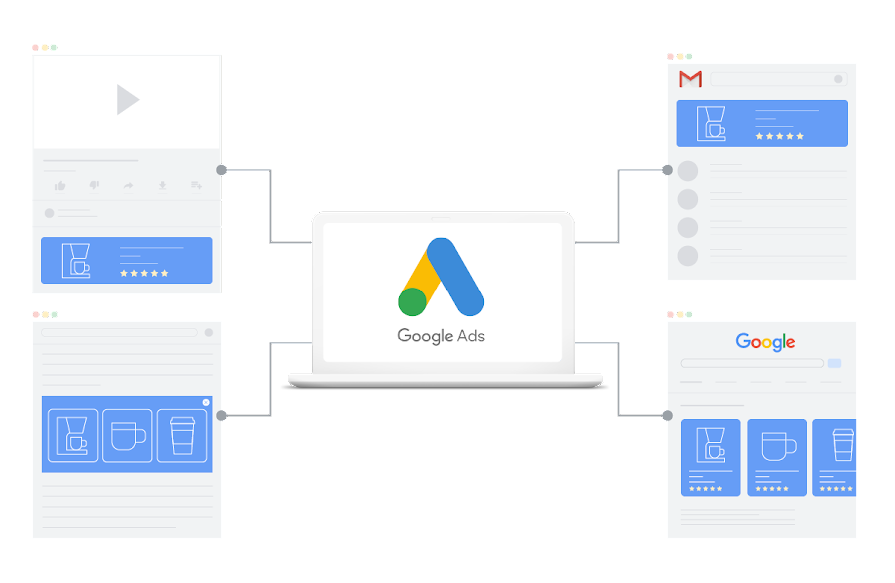 ](https://www.mergado.com/sites/default/files/perm/paragraph-image/obrazkove-kreativy-google-shopping.png) You can reach customers on Google with many types of graphic creatives. Source: https://support.google.com
## Free Image Audit will help you find and fix any flaws
Pay attention to **correcting the wrong images** on your online store. If you **meet the conditions** of advertising systems, you will attract more customers. You can detect image discrepancies in your product feed [for free with Image Audit](https://www.feed-image-editor.com/image-validator-how-use-results-correct-errors-product-images).
 Run a free Image Audit
- automatic product image check
- avoid rejecting your advertisement on comparison engines
[Try Image Audit](https://audit-obrazku.cz/)

**Don’t rely on lengthy manual editing** of product photos. Trust [Feed Image Editor](https://store.mergado.com/detail/feedimageeditor/#about) to manage them. With it, many settings are just a few clicks away, so you can get on with other important feed marketing tasks. Using this tool is easy – sign up for the [Optimize product images for comparison engines and marketplaces](https://www.mergado.com/webinar-product-images-optimization) **webinar**, where we’ll show you how handy it is.
### **Read more:**
[ 
### Watermarks in advertising will no longer bother you. Feed Image Editor lets them disappear
](/blog/watermark-removal)
[ 
### Removing background quickly and easily? With Feed Image Editor, you can do it in few clicks
](/blog/fie-background-removal-sensitivity)
[ 
### Create quality backgrounds and improve SEO with the new Feed Image Editor features
](/blog/fie-background-and-compression)
[  ](/blog/lukas-horak)### [ Lukáš Horák ](/blog/lukas-horak)
Lukáš takes care of most of the Czech and English communication in Mergado. Through blogs, e‑mail, and social networks, he regularly supplies readers with e‑commerce news and news and tips from Mergado. In his time off, he enjoys simple things like badminton, digging the hidden gems of the 80’s, and seafood served with red wine.
## What you *might be interested in next*
[ 
### GPSR on Allegro and Kaufland
](/blog/gpsr-allegro-kaufland)
[ 
### Show the most suitable alternative products. More customers will buy from you
](/blog/alternative-products)
[ 
### How to optimise product images
](/blog/how-optimise-product-images)
## Don’t miss *anything*
Sign up for our newsletter
By logging in, you agree that we will process your data by the [terms of personal data protection](/cookies).
Thank you, you have successfully joined our subscriber's list.
function ml_webform_success_5807248() {
var r = ml_jQuery || jQuery
r('.ml-subscribe-form-5807248 .row-success').show(), r('.ml-subscribe-form-5807248 .row-form').hide()
}