- [Case Studies](https://www.mergado.com/category/case-studies)
- [eCommerce tips](https://www.mergado.com/category/ecommerce-tips)
- [Online Store Solutions and Platforms](https://www.mergado.com/category/online-store-solutions-and-platforms)
- [Mergado Pack](https://www.mergado.com/category/mergado-pack)
- [Mergado tips](https://www.mergado.com/category/mergado-tips)
- [Mergado News](https://www.mergado.com/category/mergado-news)
- [eCommerce News](https://www.mergado.com/category/ecommerce-news)
- [How to use Mergado](https://www.mergado.com/category/how-to-use-mergado)
- [Interviews with e‑commerce gurus](https://www.mergado.com/category/interviews-e-commerce-gurus)
- [Extensions](https://www.mergado.com/category/apps-bidding-image-marketing-and-more)
- [Expansion with Mergado](https://www.mergado.com/category/expansion-with-mergado)
- [Mergado Lifestyle](https://www.mergado.com/category/mergado-lifestyle)
1. [ Home ](https://www.mergado.com/)
2. [ Mergado Blog ](https://www.mergado.com/blog)
3. [ Extensions ](https://www.mergado.com/category/apps-bidding-image-marketing-and-more)
4. **Use the Feed Image Editor to enlarge low-resolution images**
# **Use the Feed Image Editor to enlarge low-resolution images**
[  Lukáš Horák ](https://www.mergado.com/blog/lukas-horak) [Extensions](https://www.mergado.com/category/apps-bidding-image-marketing-and-more)
20. 5. 2021
2 minutes read

One of the most common problems you encounter when advertising on comparison engines is the **low resolution** of product images. You had to look for replacement photos to avoid your products being **disapproved** because of insufficient image dimensions.
function tableOfContents() {
return {
headings_menu: [],
heading_active: '', // Added to track the active section
shouldBeSticky: false,
generateToC() {
const headings = document.querySelectorAll('.js-article-full-headings h2, .js-article-full-headings h3');
let headingMap = {};
headings.forEach((heading) => { // Use an arrow function to maintain `this` context
// Normalize heading text to remove diacritics, then replace non-alphanumeric characters with dashes
var normalizedText = heading.textContent.normalize("NFD").replace(/[\u0300-\u036f]/g, ""); // Remove diacritics
var id = heading.id ? heading.id : normalizedText.trim().toLowerCase()
.split(' ').join('-').replace(/[^a-z0-9\-]/ig, ''); // Updated regex to replace non-alphanumeric characters
headingMap[id] = headingMap[id] !== undefined ? ++headingMap[id] : 0;
// Use the updated `id` with diacritics removed for the heading id and the TOC
const finalId = headingMap[id] ? `${id}-${headingMap[id]}` : id;
this.headings_menu.push({
id: finalId,
title: heading.textContent,
level: heading.tagName.toLowerCase(), // Track heading level
active: false, // Initially set active to false
});
heading.id = finalId;
});
},
checkStickyNeeded() {
const ul = this.$el.querySelector('ul');
if (ul) {
this.shouldBeSticky = ul.scrollHeight < window.innerHeight;
}
},
setActiveHeading() {
// disabled not working with active state on click
// add @scroll.window="setActiveHeading()" to the parent div
// const headings = document.querySelectorAll('.js-article-full-headings h2');
// let activeHeading = '';
// let closestHeadingDistance = Infinity;
// headings.forEach((heading) => {
// const rect = heading.getBoundingClientRect();
// const offset = rect.top - window.innerHeight / 2; // Consider heading in the middle of the screen as active
// if (offset < 0 && Math.abs(offset) < closestHeadingDistance) {
// activeHeading = heading.id;
// closestHeadingDistance = Math.abs(offset);
// }
// });
// // Update the active state in headings_menu
// if (activeHeading !== this.heading_active) {
// this.headings_menu = this.headings_menu.map(item => ({
// ...item,
// active: item.id === activeHeading,
// }));
// this.heading_active = activeHeading;
// }
},
setActiveItem(clickedId) {
this.headings_menu.forEach(item => {
item.active = (item.id === clickedId);
});
this.heading_active = clickedId; // Optionally update the heading_active property if used
},
};
}
1. —
One of the most common problems you encounter when advertising on comparison engines is the **low resolution** of product images. You had to look for replacement photos to avoid your products being **disapproved** because of insufficient image dimensions. That is no longer the case. **Increase the resolution** of the original images with the new [Feed Image Editor](https://store.mergado.com/detail/feedimageeditor/#about) feature.
## Quality resolution is crucial
Although the comparison engine will accept products for advertising because their resolution is at the lower limit of its specification, another problem may arise. Their quality may still be poor, and **buyers will not see them clearly** in the menu. It is one of the most common reasons why they may lose interest in the offer and start looking at the competition.
### With Feed Image Editor, you can get rid of product advertising errors in bulk
You can **detect** all the problematic parts of image advertising with a free [image audit](https://image-validator.com/). In addition to detecting them, it will also provide you with **tips on how to fix errors directly in the application**. In the Feed Image Editor, you can improve their resolution at once. And if necessary, change their format, remove watermarks or add images where they are missing. And **nothing will stand in the way** of your quality image advertising.
[](http://image-validator.com/)
### How to improve image resolution using the Feed Image Editor
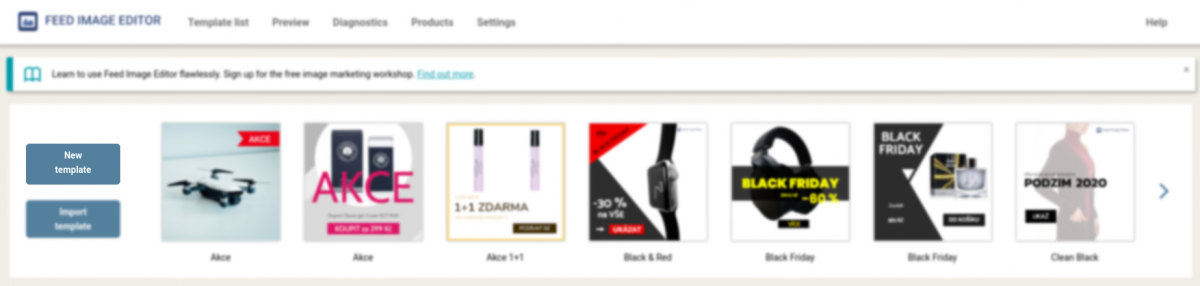
1. In the Feed Image Editor, click the **New Template** button.
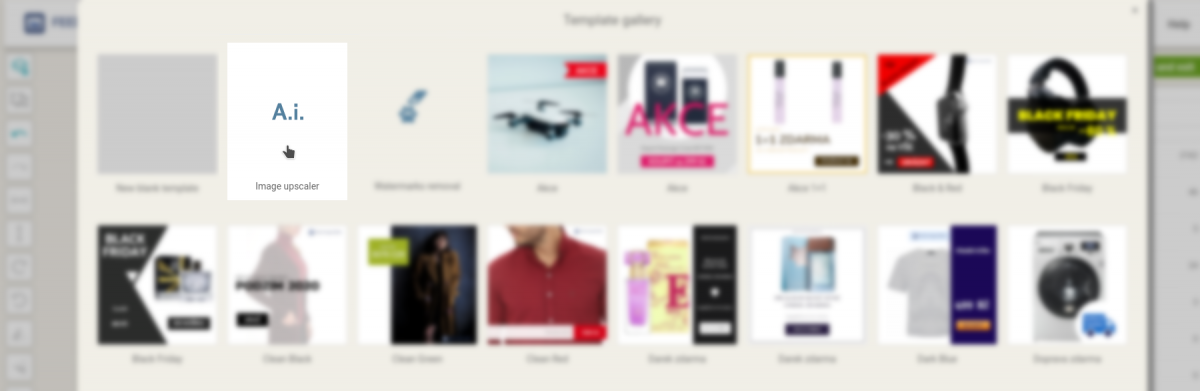
2. In the Template Gallery, select **Image Resolution Enhancements**. The Feed Image Editor first analyzes whether your feed contains low-resolution images (up to 600 x 600 pixels). If it finds some, it will offer you previews of them in the **Resolution Improvement Samples**.
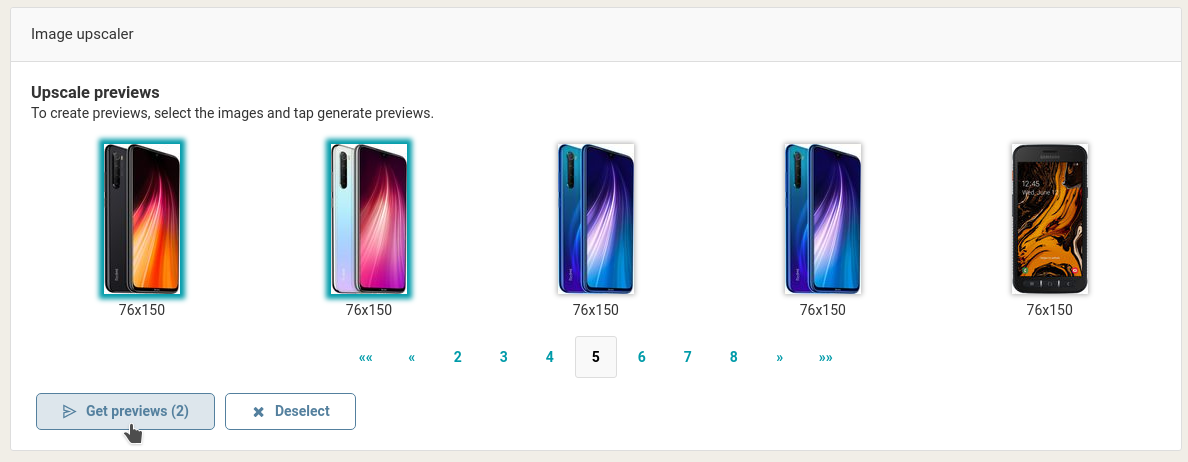
3. To preview the enhancements, select several images from the thumbnails and click **Generate Thumbnails**. After the process, you will see the original and enhanced image side by side.
4. If you are satisfied with the result, **select the product query** to which you want to apply the enhancement in the right panel. If your query includes low-resolution and high-resolution images, it doesn’t matter at all. Resolution enhancements will only apply to images that are **smaller than 600 x 600 pixels**.
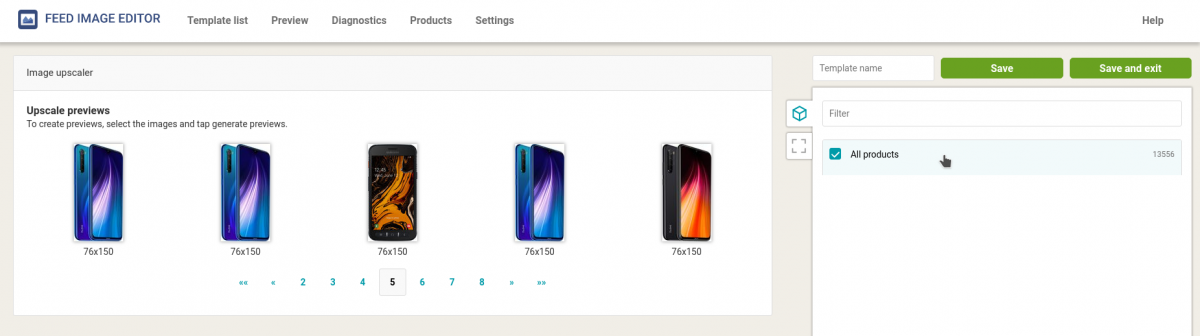
5. Then **select the ad system’s output format** in the format settings. Finally, be sure to **name and save** the template.
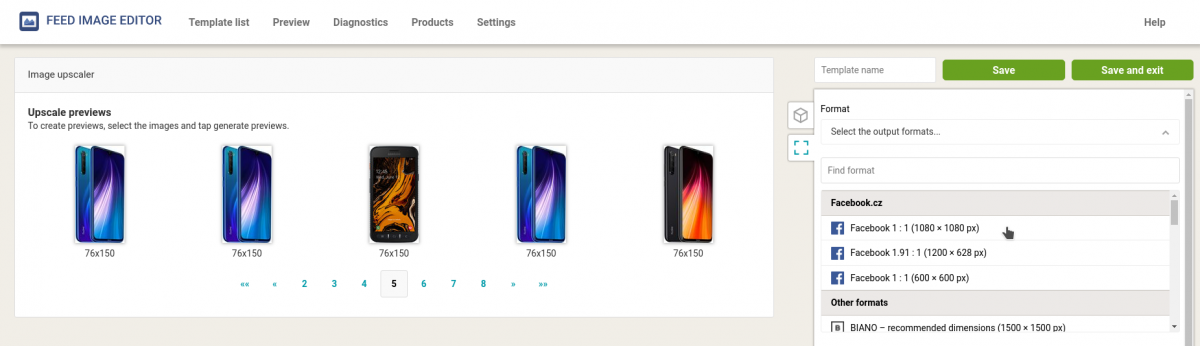
Feed Image Editor is a powerful weapon in the hands of online store operators and marketers. With it, they comprehensively create engaging image advertising. Join the app users who manage images automatically and in bulk and experience the benefits of [Feed Image Editoru](https://store.mergado.com/detail/feedimageeditor/#about) for **the first ten days for free**.
[](http://store.mergado.com/detail/feedimageeditor/#about)
### **Read more:**
[ 
### MASTER PROMPT TEMPLATE FOR ECOMMERCE
](https://www.mergado.com/blog/master-prompt-eshopy-b2c)
[ 
### How Feed Optimization Unlocked Meta Ads Performance without Increasing Ad Spend
](https://www.mergado.com/blog/feed-optimization-for-meta-ads)
[ 
### How to Sell Successfully on idealo
](https://www.mergado.com/blog/successful-sale-on-idealo)
[  ](https://www.mergado.com/blog/lukas-horak)### [ Lukáš Horák ](https://www.mergado.com/blog/lukas-horak)
Lukáš takes care of most of the Czech and English communication in Mergado. Through blogs, e‑mail, and social networks, he regularly supplies readers with e‑commerce news and news and tips from Mergado. In his time off, he enjoys simple things like badminton, digging the hidden gems of the 80’s, and seafood served with red wine.
## What you *might be interested in next*
[ 
### GPSR on Allegro and Kaufland
](https://www.mergado.com/blog/gpsr-allegro-kaufland)
[ 
### Show the most suitable alternative products. More customers will buy from you
](https://www.mergado.com/blog/alternative-products)
[ 
### How to optimise product images
](https://www.mergado.com/blog/how-optimise-product-images)
## Don’t miss *anything*
Sign up for our newsletter
By logging in, you agree that we will process your data by the [terms of personal data protection](https://www.mergado.com/cookies).
Thank you, you have successfully joined our subscriber's list.
function ml_webform_success_5807248() {
var r = ml_jQuery || jQuery
r('.ml-subscribe-form-5807248 .row-success').show(), r('.ml-subscribe-form-5807248 .row-form').hide()
}