- [Case Studies](https://www.mergado.com/category/case-studies)
- [eCommerce tips](https://www.mergado.com/category/ecommerce-tips)
- [Online Store Solutions and Platforms](https://www.mergado.com/category/online-store-solutions-and-platforms)
- [Mergado Pack](https://www.mergado.com/category/mergado-pack)
- [Mergado tips](https://www.mergado.com/category/mergado-tips)
- [Mergado News](https://www.mergado.com/category/mergado-news)
- [eCommerce News](https://www.mergado.com/category/ecommerce-news)
- [How to use Mergado](https://www.mergado.com/category/how-to-use-mergado)
- [Interviews with e‑commerce gurus](https://www.mergado.com/category/interviews-e-commerce-gurus)
- [Extensions](https://www.mergado.com/category/apps-bidding-image-marketing-and-more)
- [Expansion with Mergado](https://www.mergado.com/category/expansion-with-mergado)
- [Mergado Lifestyle](https://www.mergado.com/category/mergado-lifestyle)
1. [ Home ](https://www.mergado.com/)
2. [ Mergado Blog ](https://www.mergado.com/blog)
3. **Get image advertising in shape with the Feed Image Editor**
# **Get image advertising in shape with the Feed Image Editor**
[  Petra Marková ](https://www.mergado.com/blog/petra-markova)
6. 11. 2019
3 minutes read

[Feed Image Editor](https://www.feed-image-editor.com/) app has recently added some **new** **features**. Managing image advertising with FIE now offers the option of **collages from alternative images** as well as setting **template** **activity** **over** **time**. What else does this tool bring to improve the product images of each online store? Let’s take a look.
function tableOfContents() {
return {
headings_menu: [],
heading_active: '', // Added to track the active section
shouldBeSticky: false,
generateToC() {
const headings = document.querySelectorAll('.js-article-full-headings h2, .js-article-full-headings h3');
let headingMap = {};
headings.forEach((heading) => { // Use an arrow function to maintain `this` context
// Normalize heading text to remove diacritics, then replace non-alphanumeric characters with dashes
var normalizedText = heading.textContent.normalize("NFD").replace(/[\u0300-\u036f]/g, ""); // Remove diacritics
var id = heading.id ? heading.id : normalizedText.trim().toLowerCase()
.split(' ').join('-').replace(/[^a-z0-9\-]/ig, ''); // Updated regex to replace non-alphanumeric characters
headingMap[id] = headingMap[id] !== undefined ? ++headingMap[id] : 0;
// Use the updated `id` with diacritics removed for the heading id and the TOC
const finalId = headingMap[id] ? `${id}-${headingMap[id]}` : id;
this.headings_menu.push({
id: finalId,
title: heading.textContent,
level: heading.tagName.toLowerCase(), // Track heading level
active: false, // Initially set active to false
});
heading.id = finalId;
});
},
checkStickyNeeded() {
const ul = this.$el.querySelector('ul');
if (ul) {
this.shouldBeSticky = ul.scrollHeight < window.innerHeight;
}
},
setActiveHeading() {
// disabled not working with active state on click
// add @scroll.window="setActiveHeading()" to the parent div
// const headings = document.querySelectorAll('.js-article-full-headings h2');
// let activeHeading = '';
// let closestHeadingDistance = Infinity;
// headings.forEach((heading) => {
// const rect = heading.getBoundingClientRect();
// const offset = rect.top - window.innerHeight / 2; // Consider heading in the middle of the screen as active
// if (offset < 0 && Math.abs(offset) < closestHeadingDistance) {
// activeHeading = heading.id;
// closestHeadingDistance = Math.abs(offset);
// }
// });
// // Update the active state in headings_menu
// if (activeHeading !== this.heading_active) {
// this.headings_menu = this.headings_menu.map(item => ({
// ...item,
// active: item.id === activeHeading,
// }));
// this.heading_active = activeHeading;
// }
},
setActiveItem(clickedId) {
this.headings_menu.forEach(item => {
item.active = (item.id === clickedId);
});
this.heading_active = clickedId; // Optionally update the heading_active property if used
},
};
}
1. —
[Feed Image Editor](https://www.feed-image-editor.com/) app has recently added some **new** **features**. Managing image advertising with FIE now offers the option of **collages from alternative images** as well as setting **template** **activity** **over** **time**. What else does this tool bring to improve the product images of each online store? Let’s take a look.
## Flawless image advertising in just a few clicks
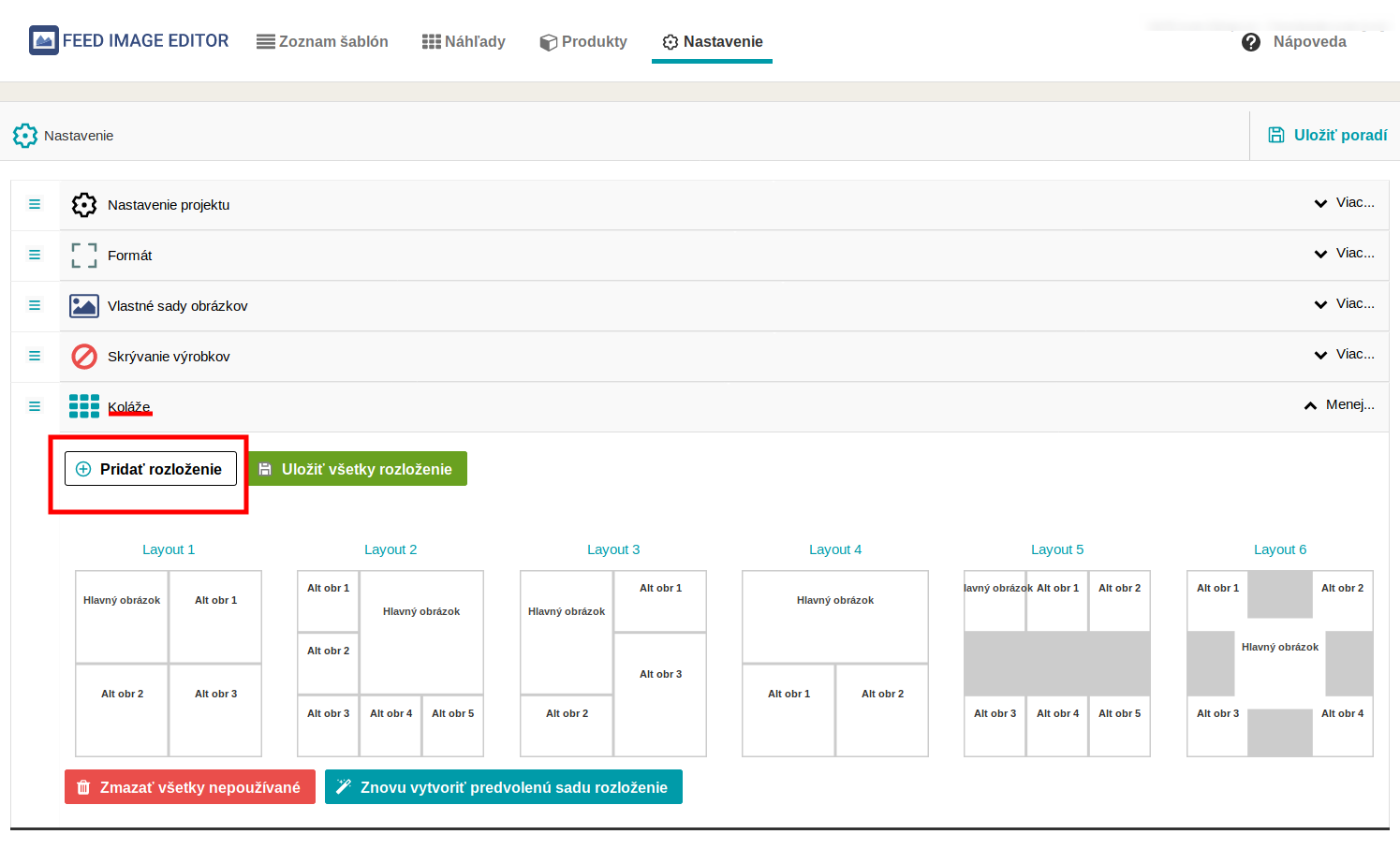
Well-established functionality, which we have not yet managed to introduce, is the **making of collages from alternative images**. If a product has **multiple** **photos**, this useful feature assembles them. You can easily attach several alternatives to the main image in the form of **different** **views** of the product, its **placement**, or a real **example** **of** its **use**.
Feed Image Editor offers a wide choice of preset collages found in the templates. In the Layers section, you need to check the *Collage of multiple images* box where you choose photo layout options and other options.
**You also have the option to add your own design:**
1. The first step in the tool settings is to **select** the *Add Custom Layout* tab in the *Collage* field.
2. Many features in the menu let you put pictures into your collages **according** **to** **your** **preferences**.
3. In the *Preview* section, you will **see** the overall design of the product collage as it will look in the e‑shop.
The main advantage of the collage is the **streamlining of the purchasing process**, where the customer can see all the necessary information at once.
[  ](https://www.mergado.com/sites/default/files/perm/paragraph-image/kolazefie.png)
### A feature that you will definitely notice
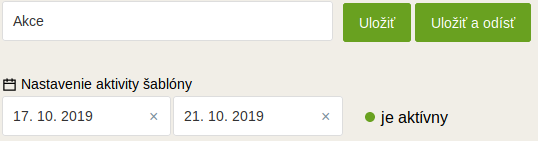
Forget about activating product templates manually, as automation has also come to image advertising. The latest feature from FIE is the **template** **timing**, which allows you to add a specific on/off date for the templates. This feature applies to a given template with **a specific products query** or the **entire** **product** **range**.
In the list of templates, transparency of the activity is detected **visually** — light fields highlight active templates and gray ones inactive. Timing can be found in the template settings where the data field has been added.
[  ](https://www.mergado.com/sites/default/files/perm/paragraph-image/aktivitafie.png)
Give new value to your photo quality
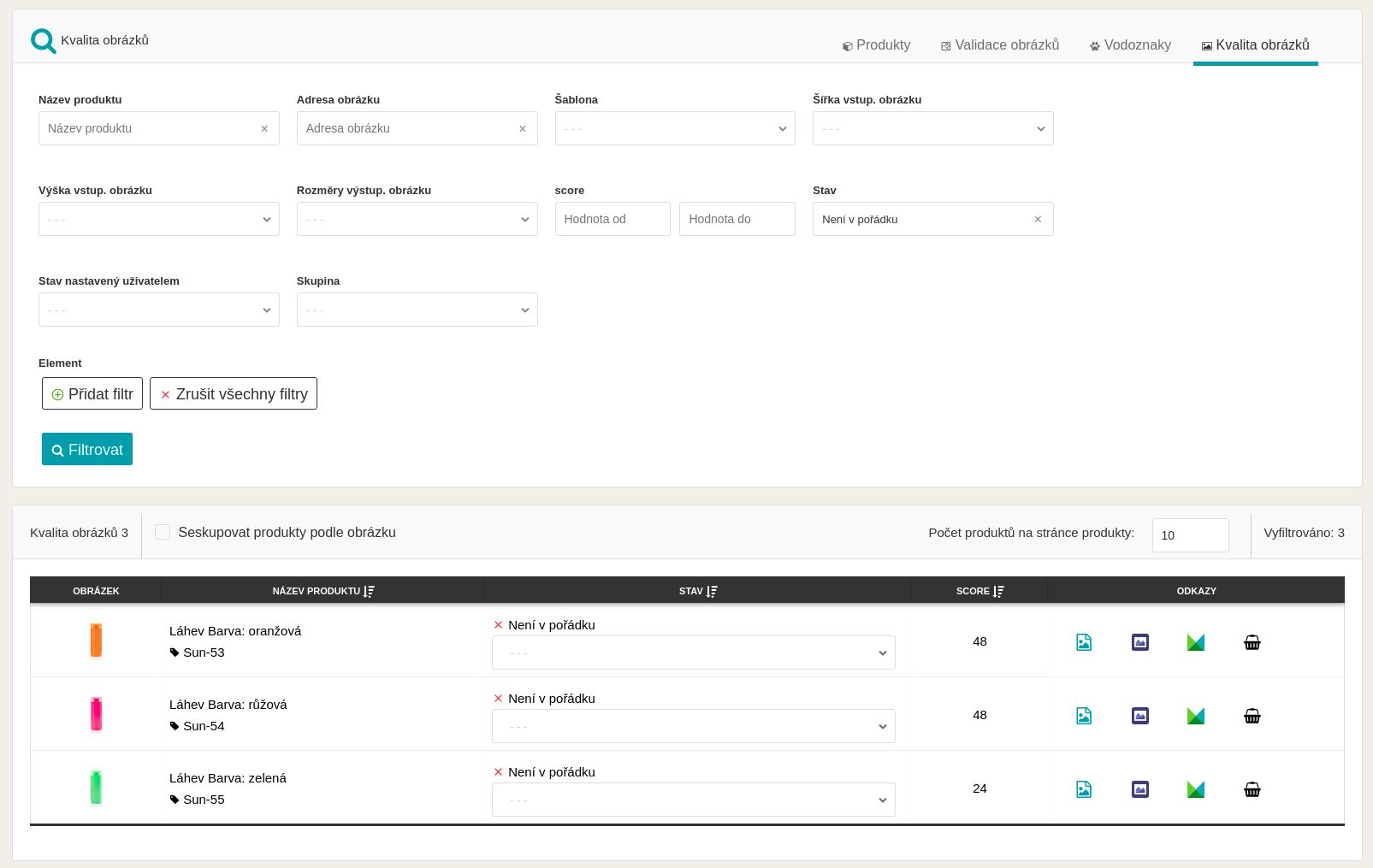
Currently, FIE has an **image** **quality** **testing** **tool** in the beta version. In the *Product* and *Image* *Quality* sections, you can verify if your images meet the required parameters.
In just a few simple steps, you can find out the **current** **status** of pictures. For example, image review notices you to blurred photos. At the same time, you can manually set the form according to its real preferences in the *Status set by the user* section.
The FIE team is constantly improving image quality control, and your **feedback** is important to moving forward. **Share** your thoughts on how to use this tool in the comments bellow this article.
[  ](https://www.mergado.com/sites/default/files/perm/paragraph-image/kvalitafie.png)
Feed Image Editor helps you keep product images under control at all times. [Try it](https://store.mergado.com/detail/feedimageeditor/#about) for free. And while you’re at the [Mergado Store](https://store.mergado.com/), check out what other Mergado apps will help you make your advertising better.
## **You could be also interested in:**
- [ MERGADO Apps ](https://www.mergado.com/tag/mergado-apps)
[  ](https://www.mergado.com/blog/petra-markova)### [ Petra Marková ](https://www.mergado.com/blog/petra-markova)
With her melodious Slovak language skills, copywriter Petra takes care of the Slovak market. She texts, blogs, translates and passionately creates content on social networks. And when she’s not looking for the right words, she dedicates time to her residential jungle, baking, cafes, or traveling.
## What you *might be interested in next*
[ 
### MASTER PROMPT TEMPLATE FOR ECOMMERCE
](https://www.mergado.com/blog/master-prompt-eshopy-b2c)
[ 
### How Feed Optimization Unlocked Meta Ads Performance without Increasing Ad Spend
](https://www.mergado.com/blog/feed-optimization-for-meta-ads)
[ 
### How to Sell Successfully on idealo
](https://www.mergado.com/blog/successful-sale-on-idealo)
## Don’t miss *anything*
Sign up for our newsletter
By logging in, you agree that we will process your data by the [terms of personal data protection](https://www.mergado.com/cookies).
Thank you, you have successfully joined our subscriber's list.
function ml_webform_success_5807248() {
var r = ml_jQuery || jQuery
r('.ml-subscribe-form-5807248 .row-success').show(), r('.ml-subscribe-form-5807248 .row-form').hide()
}