## [Kelkoo
](https://www.mergado.com/tag/kelkoo)
1. [ Home ](https://www.mergado.com/)
2. [ Mergado Blog ](https://www.mergado.com/blog)
3. **Kelkoo**
# Kelkoo

- [What is Kelkoo](#what_kelkoo)
- [Where can you advertise with Kelkoo? ](#where_advertise_kelkoo)
- [How to advertise on Kelkoo?](#how_advertise_kelkoo)
- [How can Mergado help you with advertising on Kelkoo?](#mergado)
- [Mergado Pack and Kelkoo](#pack)
- [Kelkoo Sales Tracking](#pixel)
- [Learn more about Kelkoo from our blog](#blog)
### What is Kelkoo
[Kelkoo](https://www.kelkoogroup.com/) is one of the oldest shopping engines in Europe. In 1999, it began offering his services to the English online market. At present, it enables online stores to advertise their products [in 41 countries](https://www.kelkoogroup.com/about-us/locations/).
In 2017, Kelkoo became **Google’s first premium CSS partner.** Kelkoo Group thus ensures that 100% of the trader’s bid in Google Shopping enters the auction. [Google Shopping](https://www.mergado.com/tag/google-shopping) takes about a 20% margin from each bid.

### Where can you advertise with Kelkoo?
Kelkoo Group operates in [41 countries worldwide](https://www.kelkoogroup.com/about-us/locations/). Just recently, it launched in *15 new countries*.
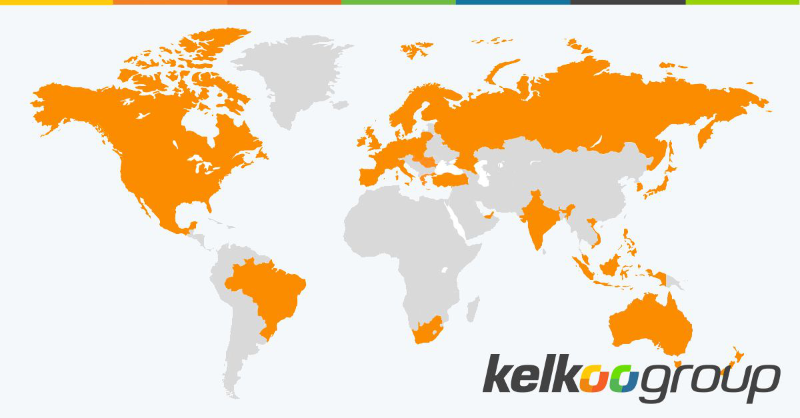Zdroj: [https://www.linkedin.com/posts/kelkoogroup\_doitthekelkooway-activity-67…](https://www.linkedin.com/posts/kelkoogroup_doitthekelkooway-activity-6739840672079077376-YVBK)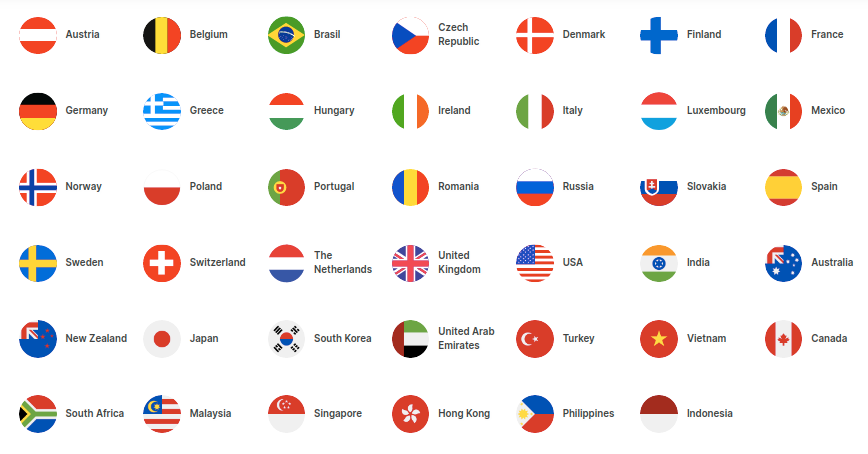Zdroj:
### How to advertise on Kelkoo?
- ### Who can advertise on Kelkoo?
Any merchant whose store offers suitable products. In addition to basic advertising services, Kelkoo also offers **special filters**. With their help, the customer is able to **navigate through more than 12 million products** and thus filter out all results that do not match his search.
- ### What is the feed specification for Kelkoo?
Information about the feed specification for Kelkoo can be found at:
- ### What feed formats does Kelkoo accept?
The data source is a traditional [XML feed](https://www.mergado.com/tag/xml-feed).
- ### How to send a product feed to Kelkoo?
Files must be saved at a URL.
### How can Mergado help you with advertising on Kelkoo?
Mergado is a feed marketing tool that allows you to **set up advertising in bulk and automatically** for a number of comparison shopping sites, including Kelkoo.
- Mergado supports **all Kelkoo Group formats**.
- We offer a [feed audit](https://audit.mergado.com/) for all Kelkoo domains.
- Do you run your online store on an open source [e‑commerce platform](https://www.mergado.com/modules-for-ecommerce-platforms)? Connect it conveniently with Mergado using the [Mergado Pack](https://pack.mergado.com/). The module also allows you to easily implement **Kelkoo Pixel**.
- You can **bulk-edit images** that are key to advertising on comparison shopping sites in the [Feed Image Editor](https://www.feed-image-editor.com/) app.
[](https://accounts.mergado.com/register/)
### Mergado Pack and Kelkoo
[  ](https://www.mergado.com/sites/default/files/perm/paragraph-image/kelkoovstupnistrankagrafika_1.png)

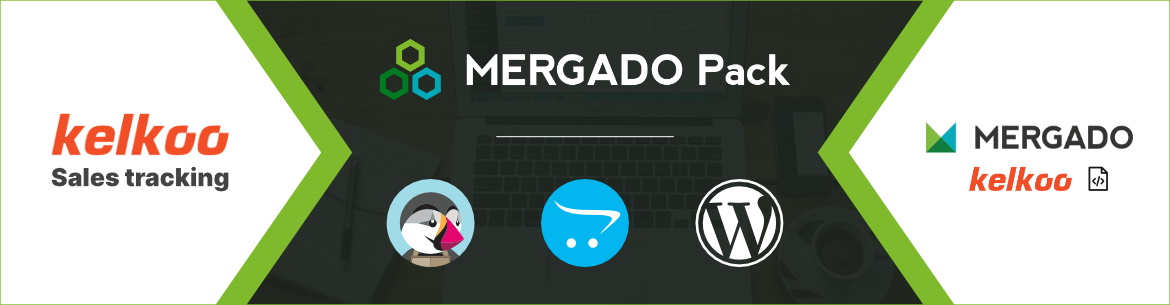
Use the **Mergado Pack module** to make a product feed from your online store in the [Mergado XML specification](https://www.mergado.com/product_xml_specification.pdf). Then use the Mergado App to convert the feed to the [**Kelkoo XML format**](https://www.kelkoogroup.com/support/merchants-support/product-data-feed/), which you use to upload your product catalog to the Kelkoo site. Set the generating of XML feeds at different times so data always remain up-to-date and reflect changes in your product range. Mergado Pack can also handle a **large number of products** using the **batch export function**. You don’t have to be afraid to upload your entire product line to Kelkoo.

Mergado Pack supports the implementation of [**pixel for Kelkoo Sales Tracking**](https://www.kelkoogroup.com/support/merchants-support/kelkoo-sales-tracking/) easily into your store. Through the Kelkoo Sales Tracking service, Kelkoo finds out what actions a customer performs on your website and then customizes the list of products on their website according to **customer preferences** — for example, according to popular colors, brands, prices and the like. The comparison site preferentially displays the offer of stores with which customers already have experience and thus helps you **increase sales**.
Activate Kelkoo Sales Tracking simply by filling in your **API key** and enabling the Kelkoo Sales Tracking function in the administration of the **Mergado Pack module**.
### Download Mergado Pack plugins here⬇
### Learn more about Kelkoo from our blog:
## Don’t miss *anything*
Sign up for our newsletter
By logging in, you agree that we will process your data by the [terms of personal data protection](https://www.mergado.com/cookies).
Thank you, you have successfully joined our subscriber's list.
function ml_webform_success_5807248() {
var r = ml_jQuery || jQuery
r('.ml-subscribe-form-5807248 .row-success').show(), r('.ml-subscribe-form-5807248 .row-form').hide()
}
## You might be *interested*
 ### Case studies
Discover the traditional and non-traditional uses of Mergado. Read case studies written by professionals working with Mergado.
[ Learn more ](https://www.mergado.com/mergado-case-studies)
 ### Help
Interested in how Mergado works? We’ve put together a detailed help guide full of useful instructions.
[ Explore ](https://forum.mergado.com/c/help-center/30)
 ### Forum
If you are looking for advice or are unsure, ask on our forum. We bring together a community of product feeds experts.
[ Visit ](https://forum.mergado.com/)